
This is the print version of this page. All content is copyright Indezine.com 2000-2026.
Thoughts and impressions of happenings in the world of PowerPoint and presentations, continuously updated since 2003.
See Also:
PowerPoint and Presenting Notes
PowerPoint and Presenting Glossary
Sounds come in so many file types: MP3, WMA, or WAV files are just the common types that you can insert in PowerPoint slides. These sound files automatically embed into your presentation; this means that you no longer have to worry about linked files getting misplaced or lost like you had to in previous versions of PowerPoint. Even then, it is a good practice to keep your sound files in the same folder in which you save your PowerPoint 2016 presentation even before you insert them, as we show you in the following steps.
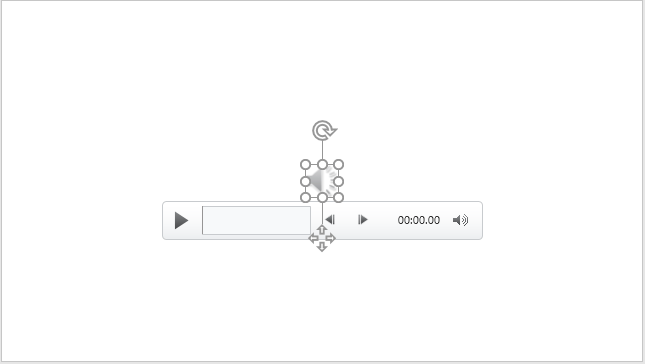
Learn to insert audio clips in PowerPoint 2016 for Windows.
Filed Under:
PowerPoint 2016
Tagged as: Audio, Microsoft Windows, Music, Office 2016, PowerPoint 2016, Sounds, Tutorials
Comments Off on Insert Audio (Sound) in PowerPoint 2016 for Windows
By Olaf Nöhring
Probably you know this situation: your presentation gets longer and longer and you want to help your audience to know which topic you are on and help them keep track of what has been covered already and what is still coming up. Unfortunately, PowerPoint does not provide an easy way to implement a progress indicator like this. This is where the free Progress Indicator add-in comes into play.
The free Progress Indicator add-in provides an easy and intuitive way to add visual structure for your audience (and yourself), as well as easy and quick navigation options that allow you to jump to every slide of your presentation.
Filed Under:
Guest Posts
Tagged as: Add-in, Guest Post, Olaf Nöhring, PowerPoint

Dr. Marcia Reynolds has trained and coached leaders in 36 countries. She spent 16 years working in large corporations, taking one company from near bankruptcy to top IPO in the US in 1993. She is a Master Certified Coach and teaches for coach training schools in the US, Europe, and Asia. With a doctorate in Organizational Psychology, Dr. Reynolds brings a valuable combination of neuroscience and psychology to her work. Her expert advice has been spotlighted in numerous publications, including Fast Company, Forbes.com, The Wall Street Journal, and she has spoken at high-profile venues and universities around the world.
In this conversation, Marcia talks about her book, The Discomfort Zone.
Filed Under:
Interviews
Tagged as: Behavior, Books, Interviews, Marcia Reynolds
Comments Off on The Discomfort Zone: Conversation with Marcia Reynolds
PowerPoint’s fill, line, and effect attributes enable you to customize the look of shapes and other slide objects in your presentation. However, it may take ages to get that perfect color combination and even after spending so much time, the final look may not match the Theme of your presentation. Shape Styles is an awesome option to overcome this problem. Shape Styles are a collection of prebuilt styles housed within a gallery of the same name. These styles are all Theme-specific. What does this mean? It means that if a presentation’s Theme changes, you’ll end up with new Shape Styles.

Explore Shape Styles with fills, outlines, and effects in PowerPoint 2016.
Filed Under:
PowerPoint 2016
Tagged as: Effects, Fills, Lines, Microsoft Windows, Office 2016, PowerPoint 2016, Shape Styles, Shapes, Tutorials
Comments Off on Shape Styles in PowerPoint 2016 for Windows

James Ontra is co-founder and CEO of Shufflrr. His 30-year career has focused on the highest profile presentations for world class companies. His clients have included American Express, Bloomberg, Epcot Center, Mercedes Benz, NBC Olympics, Warner Bros., and many more. His vision and strategy have been driving Presentation Management to become a recognized communication discipline. James combined this passion with technical development to build Shufflrr. Presentation Management is smart communication strategy.
In this conversation, James discusses how presentation management is strategic to enterprise communication.
Filed Under:
Interviews
Tagged as: Add-in, Digital Asset Management, Interviews, James Ontra, PowerPoint, Presentation Management, Shufflrr, Slide Management
Microsoft and the Office logo are trademarks or registered trademarks of Microsoft Corporation in the United States and/or other countries.