
This is the print version of this page. All content is copyright Indezine.com 2000-2026.
Thoughts and impressions of happenings in the world of PowerPoint and presentations, continuously updated since 2003.
See Also:
PowerPoint and Presenting Notes
PowerPoint and Presenting Glossary
There are many, many options as far as inserting pictures from online sources within PowerPoint are concerned. Other than using the Bing Image Search options, you can also access Flickr. Flickr is probably the greatest online resource for pictures uploaded by photographers and enthusiasts all over the world. However, unlike with the Bing option, PowerPoint does not allow you to simply go and insert anyone’s Creative Commons licensed pictures from Flickr.

Learn how to insert pictures from Flickr in PowerPoint 2016 for Windows.
Filed Under:
PowerPoint 2016
Tagged as: Flickr, Graphics, Insert, Microsoft Windows, Office 2016, Pictures, PowerPoint 2016, Tutorials
Comments Off on Insert Picture from Flickr in PowerPoint 2016 for Windows
If you use PowerPoint or any other Microsoft Office program on Windows, then here’s a quick question for you. Do you know which version you are using? And if the version question seemed easy, do you know what sort of license you have for Microsoft Office?
If you know the answers to both these questions, or even if you don’t, this post is for you. Let us explore easy ways to identify version and license details for Microsoft Office on your Windows system.
We have used PowerPoint for all the screenshots. However, the same process should also work with Word, Excel, and other Office programs. Follow these steps:


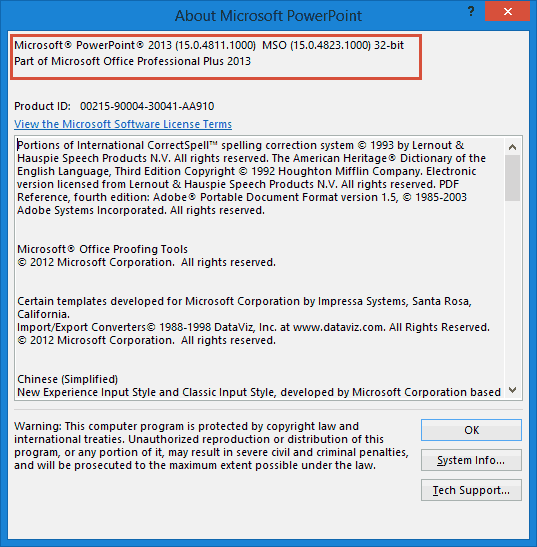
Thank you so much, Anneliese Wirth, at Microsoft who helped me create this post.
You May Also Like: Identify Your Version and License of Microsoft PowerPoint and Office on Mac
Filed Under:
PowerPoint All Versions
Tagged as: Anneliese Wirth, License, Microsoft Office, Microsoft Windows, Office 365, Tutorials, Version
Comments Off on Identify Your Version and License of Microsoft PowerPoint and Office on Windows
Although you can search for pictures on Google Images or Bing, these pictures show in web browsers, and even then you cannot use most pictures in your slides since that would be a copyright violation. Fortunately, PowerPoint provides an option to search for pictures on Bing, which makes sure that you find Creative Common pictures so that you don’t end up being on the wrong side of the law. Even better, this Bing option shows picture search results directly within PowerPoint.
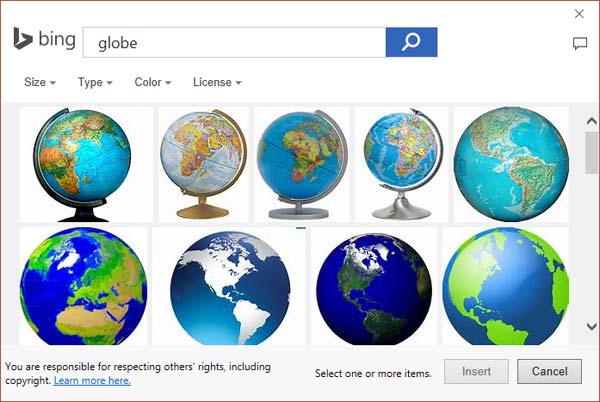
Learn how to insert pictures from Bing in PowerPoint 2016 for Windows.
Filed Under:
PowerPoint 2016
Tagged as: Bing, Graphics, Insert, Microsoft Windows, Office 2016, Pictures, PowerPoint 2016, Tutorials
Comments Off on Insert Picture from Bing in PowerPoint 2016 for Windows
Video is the most powerful, pervasive, and performance-oriented media these days. No wonder then that everyone wants to upload videos to share on their sites, or on social media, or even upload via YouTube. In fact, many videos end up on your phone these days as attachments for WhatsApp and other social chat platforms. The problem though is the actual creation. Video creation is a time-consuming process and is not typically very easy to achieve when you want high-quality results. Our review product, Wondershare Filmora can help.

Let us explore Filmora, a quick video creation tool from Wondershare.
Filed Under:
Reviews
Tagged as: Review, Video, Wondershare
Comments Off on Wondershare Filmora
A line (outline) in PowerPoint contains both points and segments. It is easy to understand the relationship between points and segments using a connect-the-dots analogy. The points represent the dots whereas the segments represent the lines you draw between the dots. Among points and segments, we have already explored the types of points in PowerPoint 2016. We now explore the two types of Segments in PowerPoint 2016: Straight and Curved. Segments can be edited, and you can also convert a straight segment to a curved segment and vice versa, as you will learn in this tutorial.

Learn about Curved and Straight line segments within PowerPoint 2016 for Windows.
Filed Under:
PowerPoint 2016
Tagged as: Drawing, Lines, Microsoft Windows, Office 2016, Points, PowerPoint 2016, Tutorials
Comments Off on Edit Points: Curved and Straight Line Segments in PowerPoint 2016 for Windows
Microsoft and the Office logo are trademarks or registered trademarks of Microsoft Corporation in the United States and/or other countries.