
This is the print version of this page. All content is copyright Indezine.com 2000-2026.
Thoughts and impressions of happenings in the world of PowerPoint and presentations, continuously updated since 2003.
See Also:
PowerPoint and Presenting Notes
PowerPoint and Presenting Glossary
Some keywords just belong to people! Typically, most pictures that are related to movies, sports, community activity, or physical fitness will have a human factor involved. So, it is not surprising that most pictures that show up as results for such keywords include people! Bing Image Search’s People filter goes a little more further, because it allows you to restrict your search to pictures where people’s faces are prominent, or their heads and shoulders are more prominent. Unfortunately, this filter does not let you search for pictures with silhouettes or even with no people at all—at least not yet.

Learn how to search images in Bing using the built-in People filters.
Filed Under:
Clip Media
Tagged as: Bing, Graphics, Pictures, PowerPoint, Tutorials
Comments Off on Bing Images Search by People
Once you add multiple connectors that emanate from a Decision shape, you need to help your users decide where they branch their thought or work processes within the flowchart. This is typically done by adding a Yes or No caption to the connectors that output from a Decision shape. Depending upon whether the user’s answer is Yes or No, they will decide which shape they need to move towards next within the flowchart — the Yes and No captions can be easily added by inserting individual text boxes.

Learn about formatting connectors within flowcharts in Microsoft Office for Mac.
Filed Under:
PowerPoint 2011
Tagged as: Diagrams, Flowcharts, Office for Mac, PowerPoint 2011, Tutorials
Comments Off on Formatting Connectors within Flowcharts in Office 2011 for Mac
Yes, it’s true – you cannot create a PowerPoint presentation from scratch using Office Mobile for the iPhone. Although you can create a Word document or an Excel sheet from scratch, the same is not true for PowerPoint presentations – there may be some workarounds but even then you are limited since you cannot add new slides to your presentations.
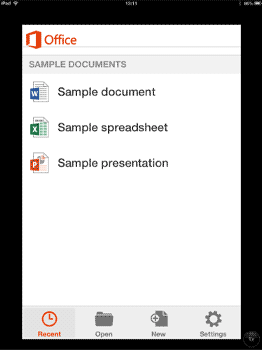
Learn how to create a PowerPoint Presentation on Office Mobile.
Filed Under:
Apple Mac OS
Tagged as: iPad, iPhone, Office 365, Office Mobile, PowerPoint, Tutorials
Comments Off on How can I create a new PowerPoint presentation on Office Mobile?
Shapes in PowerPoint are very useful in representing design or content, or in showing a process or a sequence. However, when you create a slide that has such many shapes that make a framework, you’ll find that most of your shapes may be of the same size and other attributes. Yes, you can go ahead and insert the same shape into PowerPoint repeatedly, but that will consume much of your productive time that you could have used elsewhere!

Filed Under:
PowerPoint 2013
Tagged as: PowerPoint 2013, Shapes, Tutorials
Comments Off on Duplicate Shapes by Dragging in PowerPoint 2013 for Windows
Connectors are lines that link different flowchart shapes (or any shapes you place within your Microsoft Office documents). They are different from conventional lines because connectors, as the name implies stay connected to the shapes they are linked to. Move any “connected” shape, and the connectors move and reorient with the shapes automatically — we will explore this further in this tutorial.

Filed Under:
PowerPoint 2011
Tagged as: Diagrams, Flowcharts, Office for Mac, PowerPoint 2011, Tutorials
Comments Off on Using Flowchart and Connector Shapes Together in PowerPoint for Mac
Microsoft and the Office logo are trademarks or registered trademarks of Microsoft Corporation in the United States and/or other countries.