Microsoft Windows Articles - Page 20 of 27


Quick Access Toolbar in PowerPoint 2010 for Windows Quick Access Toolbar in PowerPoint 2010 for Windows
October 26th, 2016


Add and Rename Ribbon Tabs in PowerPoint 2010 for Windows Add and Rename Ribbon Tabs in PowerPoint 2010 for Windows
October 25th, 2016


Hide/Unhide Slides in PowerPoint 2016 for Windows Hide/Unhide Slides in PowerPoint 2016 for Windows
October 20th, 2016


Hide and Unhide Slides in PowerPoint 2013 for Windows Hide and Unhide Slides in PowerPoint 2013 for Windows
October 19th, 2016


Create PowerPoint 2010 Handouts in Word 2010 for Windows Create PowerPoint 2010 Handouts in Word 2010 for Windows
October 18th, 2016


Package a Presentation to a CD or Folder in PowerPoint 2010 for Windows Package a Presentation to a CD or Folder in PowerPoint 2010 for Windows
October 17th, 2016


Embed Fonts in PowerPoint 2010 for Windows Embed Fonts in PowerPoint 2010 for Windows
October 12th, 2016


Format Text Attributes of SmartArt Graphics in PowerPoint 2013 for Windows Format SmartArt Graphics Text Attributes in PowerPoint 2013 for Windows
October 7th, 2016


Export a Presentation to a Video Clip in PowerPoint 2010 for Windows Export a Presentation to a Video Clip in PowerPoint 2010 for Windows
October 6th, 2016


Move Shapes within a SmartArt Graphic in PowerPoint 2013 for Windows
October 4th, 2016


Hide and Unhide Slides in PowerPoint 2010 for Windows Hide and Unhide Slides in PowerPoint 2010 for Windows
October 3rd, 2016


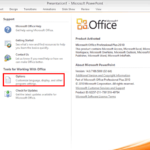
Backstage View – Program Options in PowerPoint 2010 for Windows Backstage View – Program Options in PowerPoint 2010 for Windows
September 30th, 2016


Backstage View – Help Options in PowerPoint 2010 for Windows
September 29th, 2016


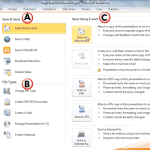
Save and Send Tab in Backstage View in PowerPoint 2010 for Windows Save and Send Tab in Backstage View in PowerPoint 2010 for Windows
September 28th, 2016


Print Tab of Backstage View in PowerPoint 2010 for Windows Print Tab of Backstage View in PowerPoint 2010 for Windows
September 27th, 2016


Backstage View – New Option in PowerPoint 2010 for Windows Backstage View – New Option in PowerPoint 2010 for Windows
September 26th, 2016


Recent Tab of Backstage View in PowerPoint 2010 for Windows Recent Tab of Backstage View in PowerPoint 2010 for Windows
September 23rd, 2016


Change Shapes within a SmartArt Graphic in PowerPoint 2013 for Windows Change Shapes within a SmartArt Graphic in PowerPoint 2013 for Windows
September 21st, 2016


Apply SmartArt Styles in PowerPoint 2013 for Windows Apply SmartArt Styles in PowerPoint 2013 for Windows
September 20th, 2016


Shape Fills, Lines, and Effects for SmartArt in PowerPoint 2013 for Windows Shape Fills, Lines, and Effects for SmartArt in PowerPoint 2013 for Windows
September 19th, 2016


Change Shape Colors of SmartArt Graphics in PowerPoint 2013 for Windows Change Colors for a SmartArt Graphic in PowerPoint 2013 for Windows
September 16th, 2016


Change SmartArt Graphic Layouts in PowerPoint 2013 for Windows Change between SmartArt Graphic Layouts (Types) in PowerPoint 2013 for Windows
September 14th, 2016


Delete Shapes from Existing SmartArt Graphics in PowerPoint 2013 for Windows Delete Shapes from an Existing SmartArt Graphic in PowerPoint 2013 for Windows
September 13th, 2016


Text Pane For SmartArt Graphics in PowerPoint 2013 for Windows Text Pane For SmartArt Graphics in PowerPoint 2013 for Windows
September 9th, 2016


Inserting SmartArt in PowerPoint 2013 for Windows Inserting SmartArt in PowerPoint 2013 for Windows
September 7th, 2016


Page 1 Page 18 Page 19 Page 20 Page 21 Page 22 Page 27


Microsoft and the Office logo are trademarks or registered trademarks of Microsoft Corporation in the United States and/or other countries.

Plagiarism will be detected by Copyscape

© 2000-2026, Geetesh Bajaj - All rights reserved.

since November 02, 2000