PowerPoint 2010 Articles - Page 5 of 21


Jerky Animations Jerky Animations in PowerPoint 2010 and 2013
July 15th, 2013


Learn PowerPoint 2010 for Windows: Reset Pictures
March 26th, 2013


Learn PowerPoint 2010 for Windows: Set Document Resolution
March 22nd, 2013


Learn PowerPoint 2010 for Windows: Compress Pictures Learn PowerPoint 2010 for Windows: Compress Pictures
March 20th, 2013


Set Text Indentation Using Numerical Values in PowerPoint 2010 for Windows Set Text Indentation Using Numerical Values in PowerPoint 2010 for Windows
March 18th, 2013


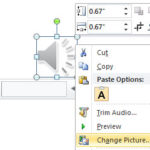
Learn PowerPoint 2010 for Windows: Format Tab for Audio Clips Learn PowerPoint 2010 for Windows: Format Tab for Audio Clips
March 14th, 2013


Advanced Audio Options in PowerPoint 2010 for Windows Advanced Audio Options in PowerPoint 2010 for Windows
March 12th, 2013


Learn PowerPoint 2010 for Windows: Trim Audio Clips Learn PowerPoint 2010 for Windows: Trim Audio Clips
March 6th, 2013


Learn PowerPoint 2013 for Windows: Remove Bookmarks from Audio Clips Remove Bookmarks from Audio Clips in PowerPoint 2010 for Windows
February 28th, 2013


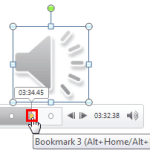
Add Bookmarks for Audio Clips in PowerPoint 2010 for Windows Learn PowerPoint 2010 for Windows: Add Bookmarks for Audio Clips
February 19th, 2013


Fade Effect for Audio Clips in PowerPoint 2010 for Windows Fade Effect for Audio Clips in PowerPoint 2010 for Windows
February 13th, 2013


Learn PowerPoint 2010 for Windows: Twin Trigger Animation
February 5th, 2013


Changing Location of Slide Numbers in PowerPoint 2010 for Windows Changing Location of Slide Numbers in PowerPoint 2010 for Windows
February 1st, 2013


Learn PowerPoint 2010 for Windows: Applying Slide Masters to Individual Slides Learn PowerPoint 2010 for Windows: Applying Slide Masters to Individual Slides
January 30th, 2013


Learn PowerPoint 2010 for Windows: Duplicate Slide Masters Learn PowerPoint 2010 for Windows: Duplicate Slide Masters
January 28th, 2013


Add and Rename Slide Masters in PowerPoint 2010 for Windows Add and Rename Slide Masters in PowerPoint 2010 for Windows
January 24th, 2013


Learn PowerPoint 2010 for Windows: Add Your Logo or Graphic to the Slide Master
January 22nd, 2013


Learn PowerPoint 2010 for Windows: Create Custom Shaped Picture Placeholders
January 18th, 2013


Transparency for Shape Fills in PowerPoint Learn PowerPoint 2010 for Windows: Transparency for Shape Fills
January 17th, 2013


Learn PowerPoint 2010 for Windows: Formatting Picture Placeholders Learn PowerPoint 2010 for Windows: Formatting Picture Placeholders
January 16th, 2013


Inserting New Placeholders Within Slide Layouts in PowerPoint 2010 for Windows Inserting New Placeholders Within Slide Layouts in PowerPoint 2010 for Windows
January 14th, 2013


Learn PowerPoint 2010 for Windows: Add New Slide Layouts Learn PowerPoint 2010 for Windows: Add New Slide Layouts
January 10th, 2013


Learn PowerPoint 2010 for Windows: Duplicate, Rename, and Edit Slide Layouts Learn PowerPoint 2010 for Windows: Duplicate, Rename, and Edit Slide Layouts
January 8th, 2013


Learn PowerPoint 2010 for Windows: Vary Colors by Point for Charts
January 4th, 2013


Learn PowerPoint 2010 for Windows: Custom Backgrounds for Slide Master and Layouts Learn PowerPoint 2010 for Windows: Custom Backgrounds for Slide Master and Layouts
January 2nd, 2013


Page 1 Page 3 Page 4 Page 5 Page 6 Page 7 Page 21


Microsoft and the Office logo are trademarks or registered trademarks of Microsoft Corporation in the United States and/or other countries.

Plagiarism will be detected by Copyscape

© 2000-2026, Geetesh Bajaj - All rights reserved.

since November 02, 2000